Sled Surfers Getting Started Guide
Learn the frost loop in your first hour: launch, slide, upgrade, and stop wasting tickets.
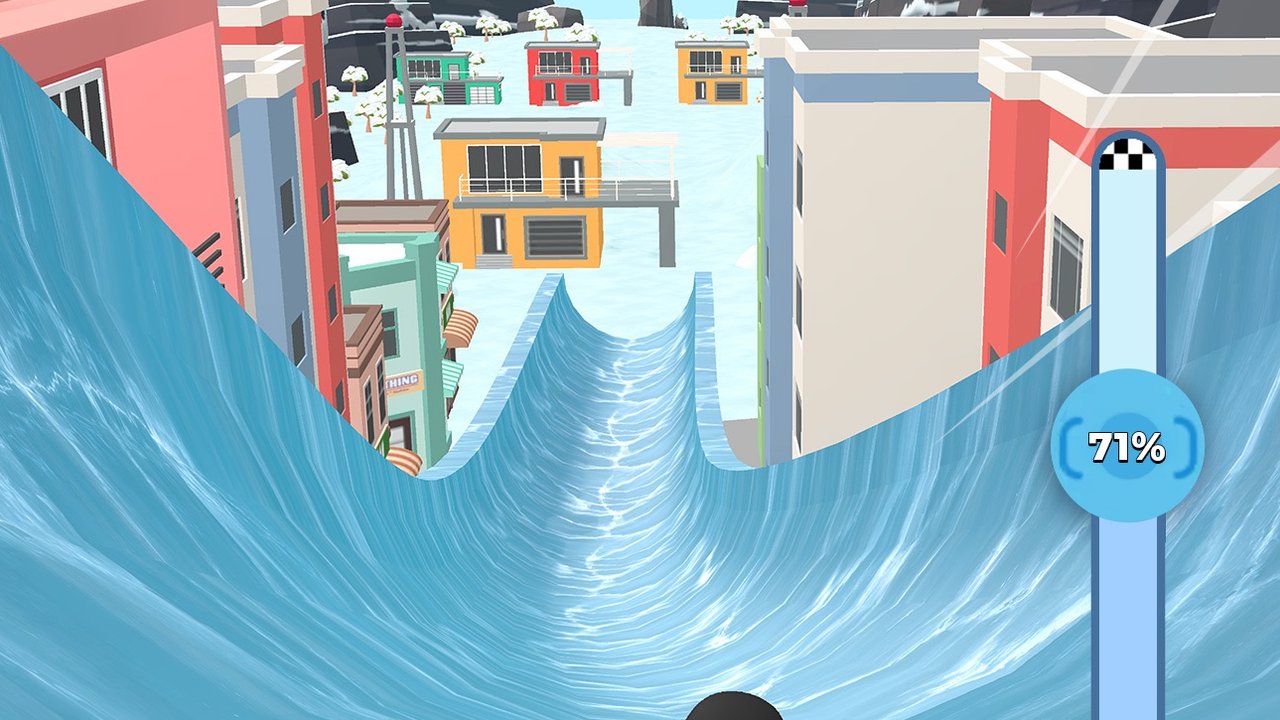
Sled Surfers throws you onto icy slopes within seconds, but the players who stick around learn the economy before they spam retries. This beginner guide explains the two play modes CrazyLabs advertises, what the on-screen HUD means, and how to spend your first coins so later levels stop feeling impossible. Pair it with controls and the codes hub before you grind.
What Sled Surfers is
CrazyLabs describes the game as a winter endless-runner inspired experience with endless runs and level-based challenges. You ride a surfer (often a penguin at the start) on unlockable sleds through mountains, forests, cities, subways, caves, and canyons. Coins fund upgrades. Tickets gate some launches. Optional gem and ticket packs exist in the store, but you can progress without buying if you respect the blue chest timer and Income upgrades covered in upgrades and income.
Platforms: iPhone, iPad, and Android. Released April 29, 2025. Free with ads and in-app purchases.
First launch checklist
- Install from the official App Store or Google Play only.
- Complete the short tutorial until you understand swipe steering and jump timing.
- Note the ticket counter and the vertical progress bar with the checkered flag.
- Finish one short challenge level and one endless attempt to feel both modes.
- Redeem anything listed on codes while you are still online.
- Open the upgrade panel and put early coins into Income first.
If the redeem button is missing, follow how to redeem after the tutorial finishes.
Reading the HUD
Official screenshots show a slingshot start with a power gauge, tickets in the corner, and a right-side progress percentage during challenge levels. In the air you may see an Air time counter tied to coin gains. Treat the progress bar as your fail diary: when you crash at 62% three times, the problem is that segment, not “the whole level.” The hard levels guide builds on that habit.
Endless vs challenge levels
Endless teaches flow. Use it to practice ramps, flips, and calm steering without a fixed finish line. Challenge levels are where most search traffic comes from — people get stuck on numbered stages and need a better sled or a cleaner line. Alternate: warm up in endless, then spend tickets on the challenge you are pushing.
Do not burn every ticket the moment they refresh if your Income upgrade is still tiny. Waiting for a blue chest cycle can multiply the value of the next run. Details live in the upgrades guide and the upgrade planner.
First-hour upgrade plan
Spend in this order unless a code dumped a huge pile of tickets:
- Income (highest impact on chest payouts)
- Sled performance
- Slingshot
- Cosmetic surfers / sled skins
Avoid the trap where the game asks for gems to continue an upgrade line. Watch a free gem ad if you must, buy a couple Income ranks, then restart so coin pricing returns — a common community tip also covered in the upgrades article.
Movement habits that save runs
- Steer early toward ramps instead of last-second swerves.
- Flip only when landing space is clear.
- Do not chase every side coin if a tree sits on that lane.
- Let the sled glide; sharp joystick spam bleeds speed.
Deepen those habits in tips and tricks after you finish this page.
What to unlock next
Browse the sled tier list before spending a big coin stack on a flashy ride that does not help distance. Characters are fun; performance sleds clear stages. When a holiday update drops new trails, skim updates so you know what changed.
Common beginner mistakes
- Retrying the same fail percentage twenty times with zero upgrades
- Buying cosmetics before Income
- Ignoring blue chests because “one more run” feels faster
- Installing unofficial mod APKs for infinite tickets
- Skipping codes on day one
After the first hour
You are ready for the rest of the wiki when you can: redeem codes, explain Income vs sled upgrades, and name the percentage where your current challenge ends. Next reads: tips and tricks, hard levels, and the players review if you want store-context expectations about ads and resets between levels.
Official support and billing issues go to CrazyLabs through store channels — this wiki is unofficial fan documentation only.
Frequently Asked Questions
Quick answers to the most common Sled Surfers questions.
Is Sled Surfers free to play?
Yes. It is free with ads and optional ticket, gem, and boost purchases.
Should I play endless or levels first?
Use endless to learn ramps and flips, then spend tickets on challenge levels you are actively pushing.
What should I upgrade first?
Income first, then sled performance, then slingshot. Cosmetics can wait.
Where do I find codes?
See the Codes hub and the how-to-redeem guide linked from this page.